Quick guide to Markdown - ChatGPT
Talk to ChatGPT and start writing in Markdown. A handful of simple marks is enough to make your text clear and nice to read.
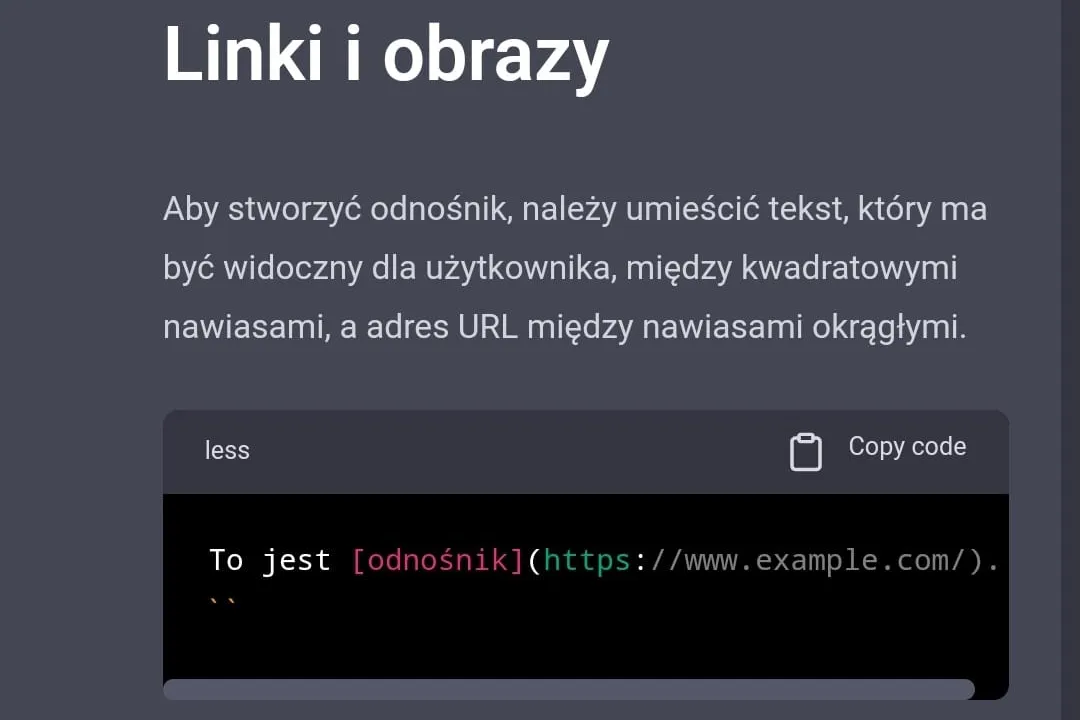
Table of contents
ChatGPT is a tool that lets you get to know a large number of languages in a few minutes. It was packed with such a huge amount of text that it can now surprise us again and again. English, German, Spanish? No problem. It also handles languages such as HTML, CSS, JavaScript and so on. Surprised? Let us check.
I will show you how to use the tool to learn the basic syntax of the popular Markdown language. This language works perfectly for writing nicely formatted texts, for example code or notes.
We start by writing a prompt. It is best to do it directly. We are interested in Markdown and in concrete examples of how to use it. Ideally, ChatGPT should simply teach us.

Markdown - question to ChatGPT
The answer we get is no surprise. A short explanation of what Markdown is. Then a walk through its basic syntax.
Examples of basic Markdown syntax
Heading
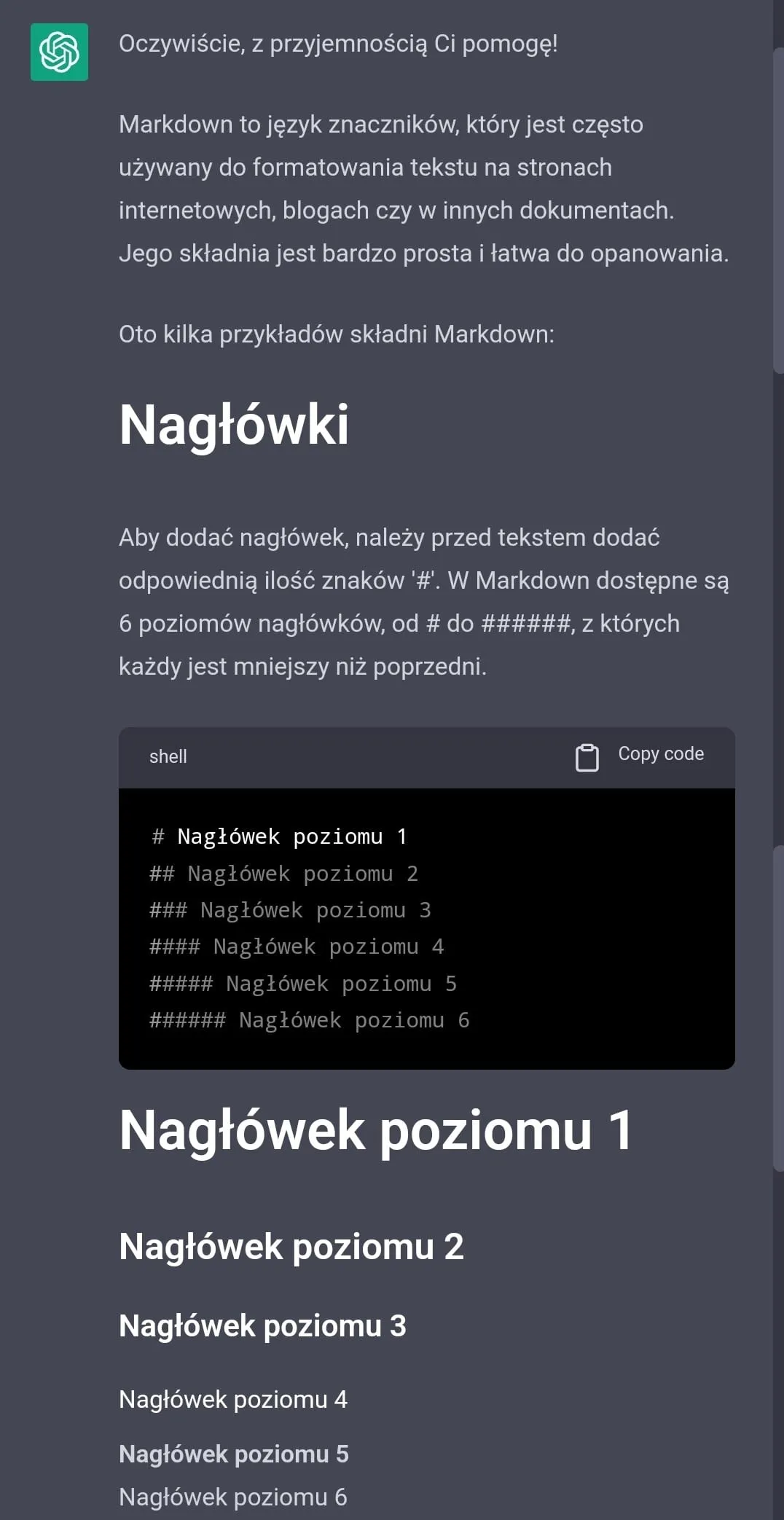
ChatGPT - Creating headings in Markdown.
My own findings, based on a conversation with ChatGPT.
Bold and italic
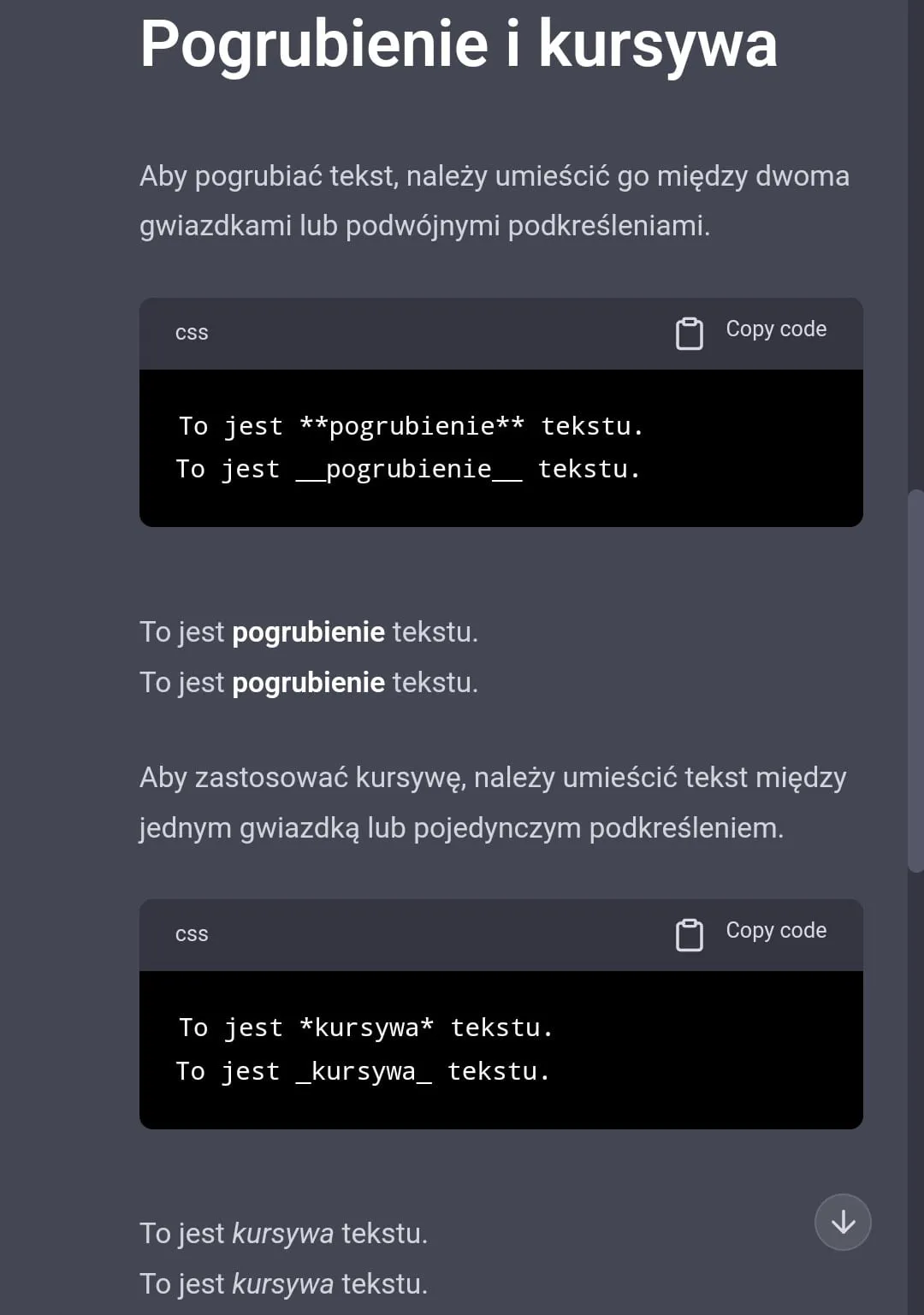
ChatGPT - Bold and italic in Markdown.
My own findings, based on a conversation with ChatGPT.
Lists
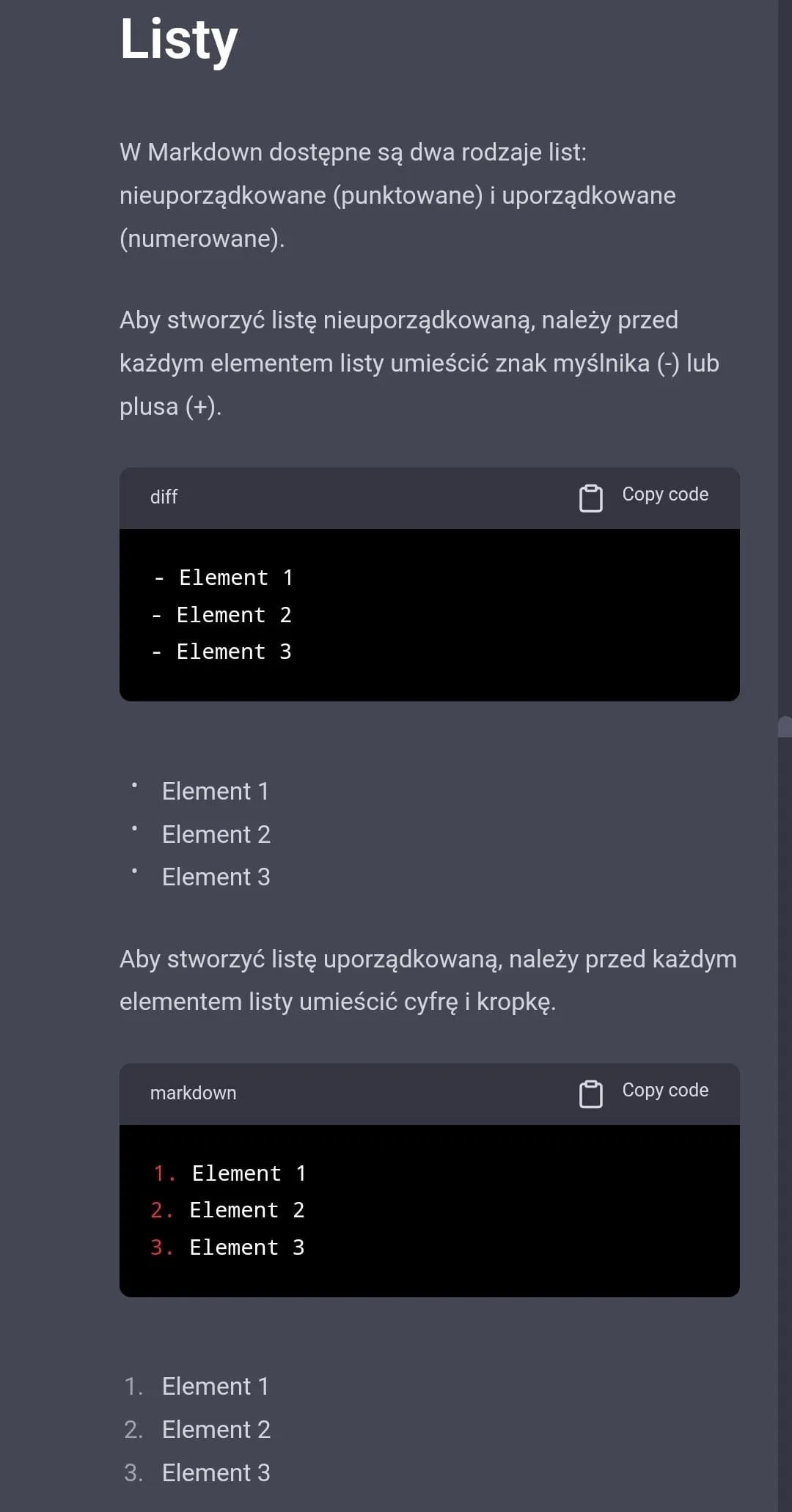
ChatGPT - Creating a list in Markdown.
My own findings, based on a conversation with ChatGPT.
Links and images
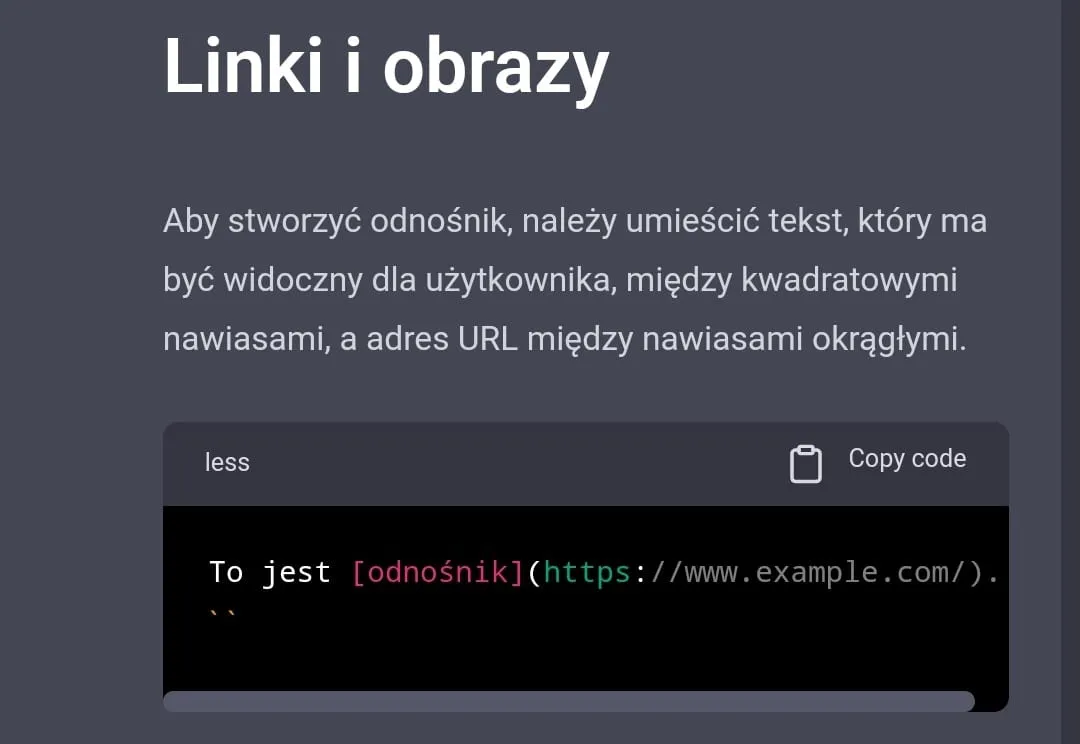
ChatGPT - Creating links and images in Markdown.
My own findings, based on a conversation with ChatGPT.
Fine. We know the basic syntax now. We can safely assume that it knows the language, because it is fairly popular. Now it would be good to know where you can use it and which editor to use for that.
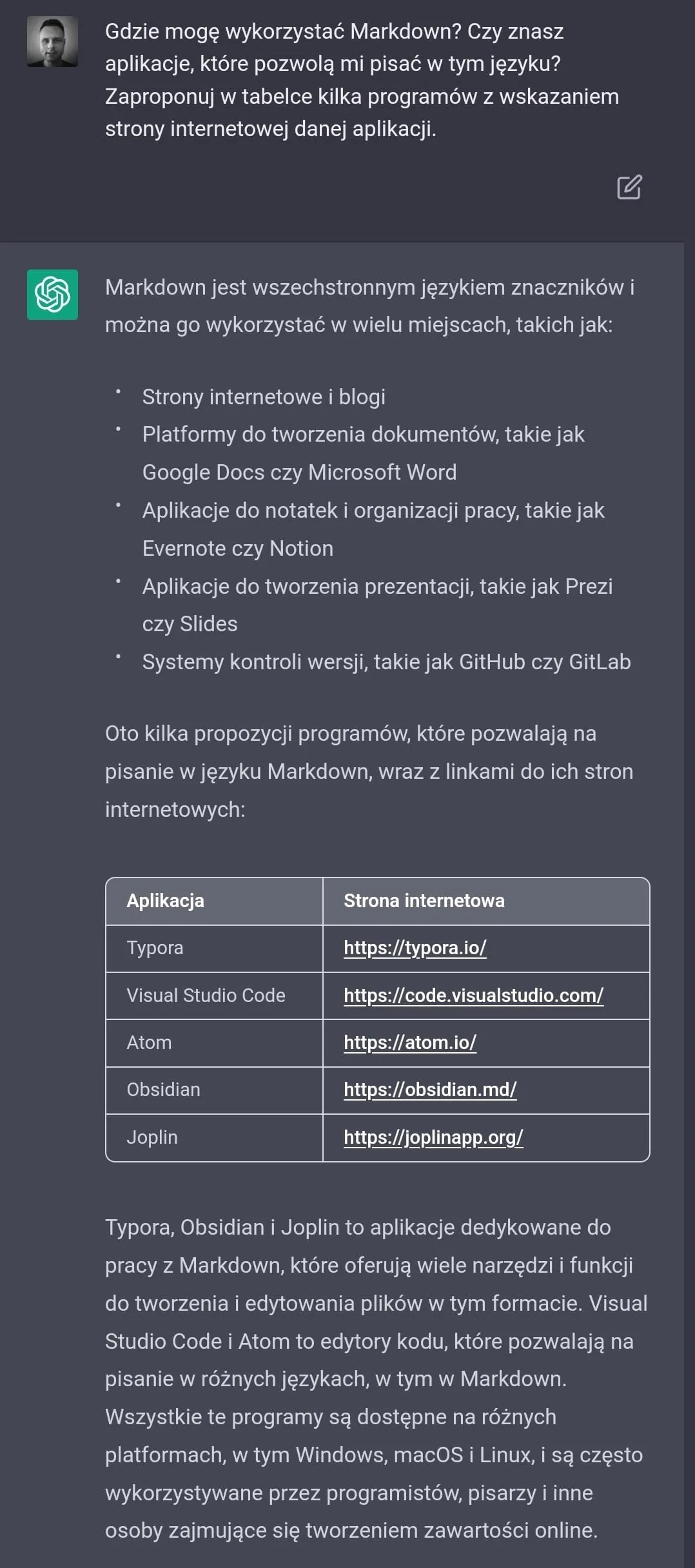
ChatGPT - examples of apps for writing in Markdown.
My own findings, based on a conversation with ChatGPT.
Sounds convincing? That was exactly the point. ChatGPT handed us an answer that looks correct, but is it really? I do not know. It would be worth checking, right? 😉…
New posts also go out over RSS — no email address needed. Subscribe via RSS