Find out how you can work offline with AI!
Installing Bielik on your computer is a great way to start. Time to find out what these tools can do with no connection to the network.
Installing Bielik on your computer can be a great start to this adventure. Time to find out what secrets these tools hold with no connection to the network.
How do you start? Very simply.
All you need is the right computer (the requirements are in this thread) and a program that lets you experiment with different language models.
Here is a simple, quick guide:
- Download the right version of LM Studio for your operating system.
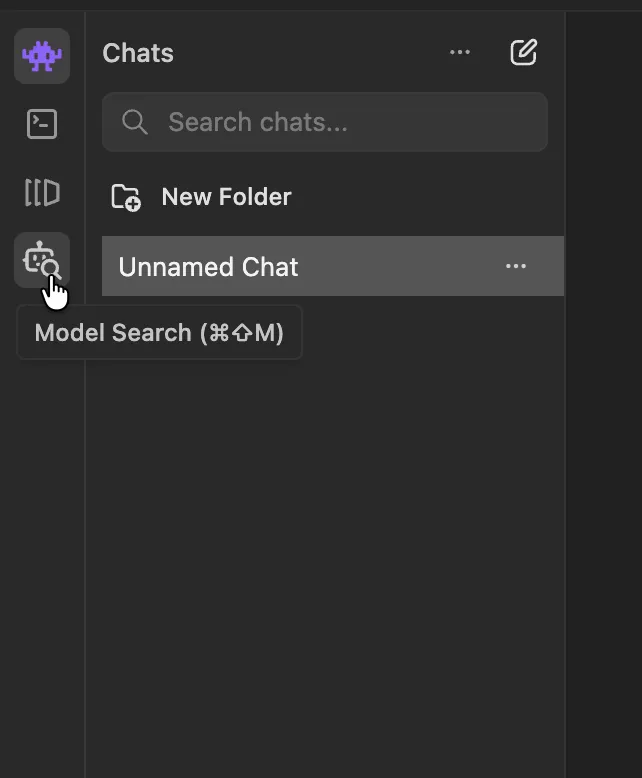
The program is available for Windows, Mac and Linux. - After you install and start the program, you will see the tabs:
Chat, Developer, My Models and Model Search. - Go to the Model Search tab.
In the search field type: Bielik-11B-v3.0-Instruct-GGUF and press the download button. - Once the download finishes, go to the Chat tab.
At the bottom of the screen you will find the Pick a model option for loading a model. Choose the one you downloaded and wait for it to load into memory. - Now you can start talking to a local AI model!
Below are two screenshots from LM Studio.
Share your experience and your ideas for working offline. Maybe you use other models this way?

The LM Studio website: https://lmstudio.ai
You can also join the discussion on X: https://x.com/przemekwilde/status/2016586206406942720
New posts also go out over RSS — no email address needed. Subscribe via RSS